

ImprovMX
Setting up your email channel in Fernand using ImprovMX is a simple and efficient way to centralize your customer communications without switching between tools. Once connected, all emails sent to your support address will flow directly into Fernand, allowing you to reply from your own domain while maintaining proper authentication and reliable deliverability.
Open your ImprovMX dashboard and log in with your credentials.
Find your domain name in the list, and add a new alias with your support inbox
support@piedpiper.com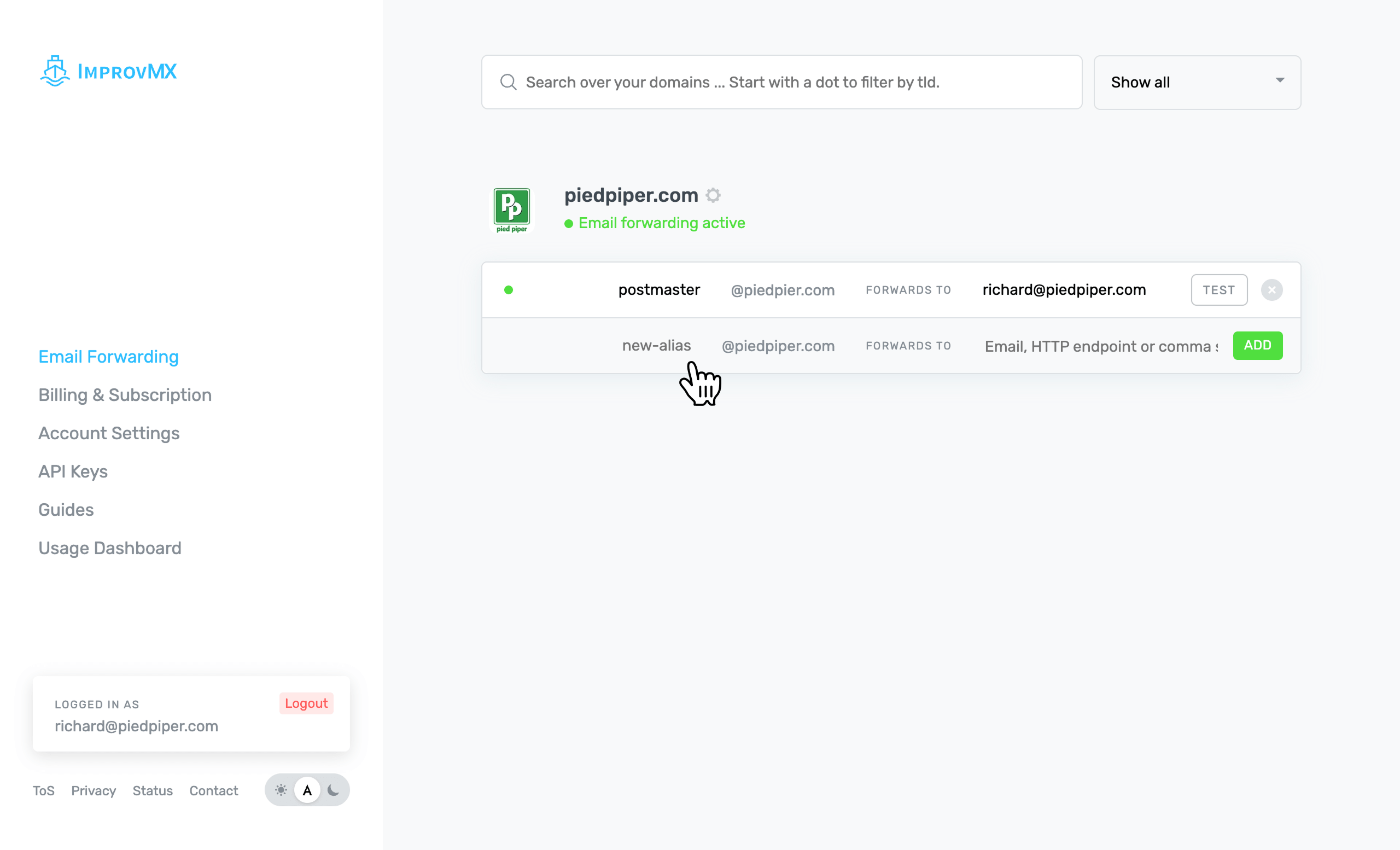
In the redirection input field, enter your Fernand inbox email
support@piedpiper.fernand-mails.com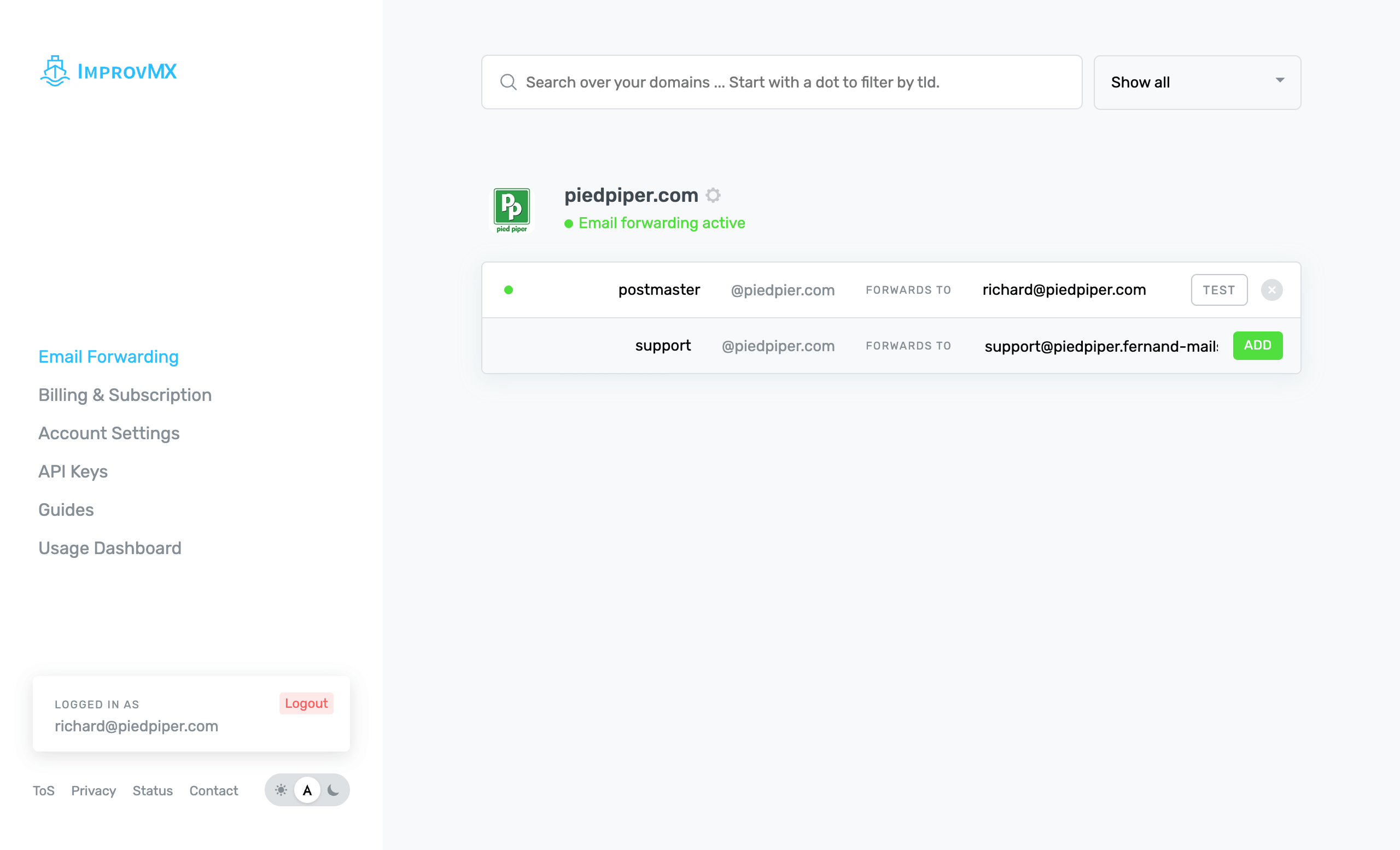
Click on Add to add this email forwarder, then hit Test to send a test email to your
support@piedpiper.comemail address. You should be all set!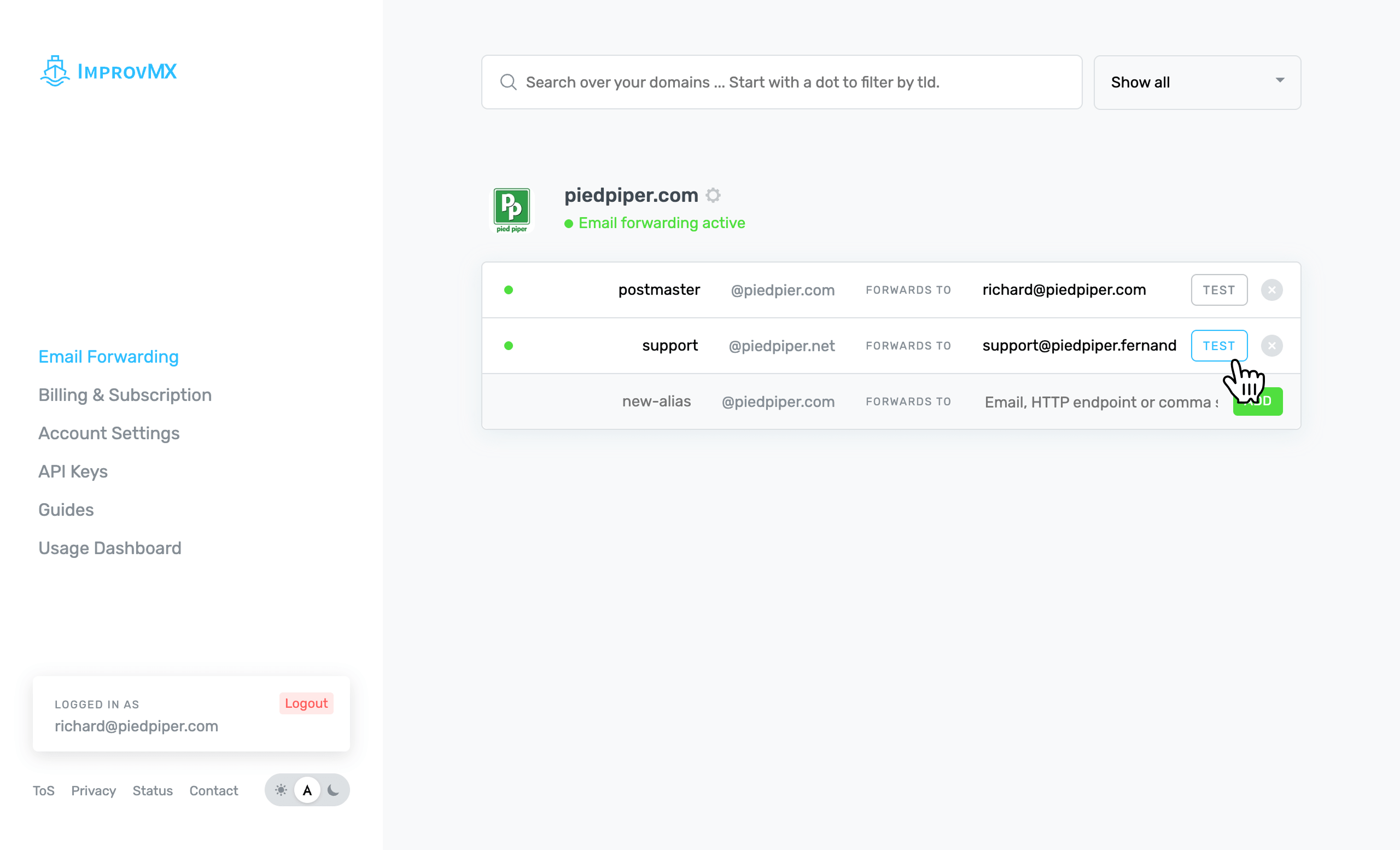
Need help?
If this all feels a bit much, no worries: we’ve got you. You can book a free call and we’ll walk through it with you, step by step.