

Stripe integration
The Stripe integration lets you connect your billing data directly to Fernand. This gives your support AI and inbox full context on subscriptions, payments, and customers without switching tools.
Once connected, Fernand can fetch real-time Stripe data and use it to assist with support, prioritize conversations, and generate accurate replies.
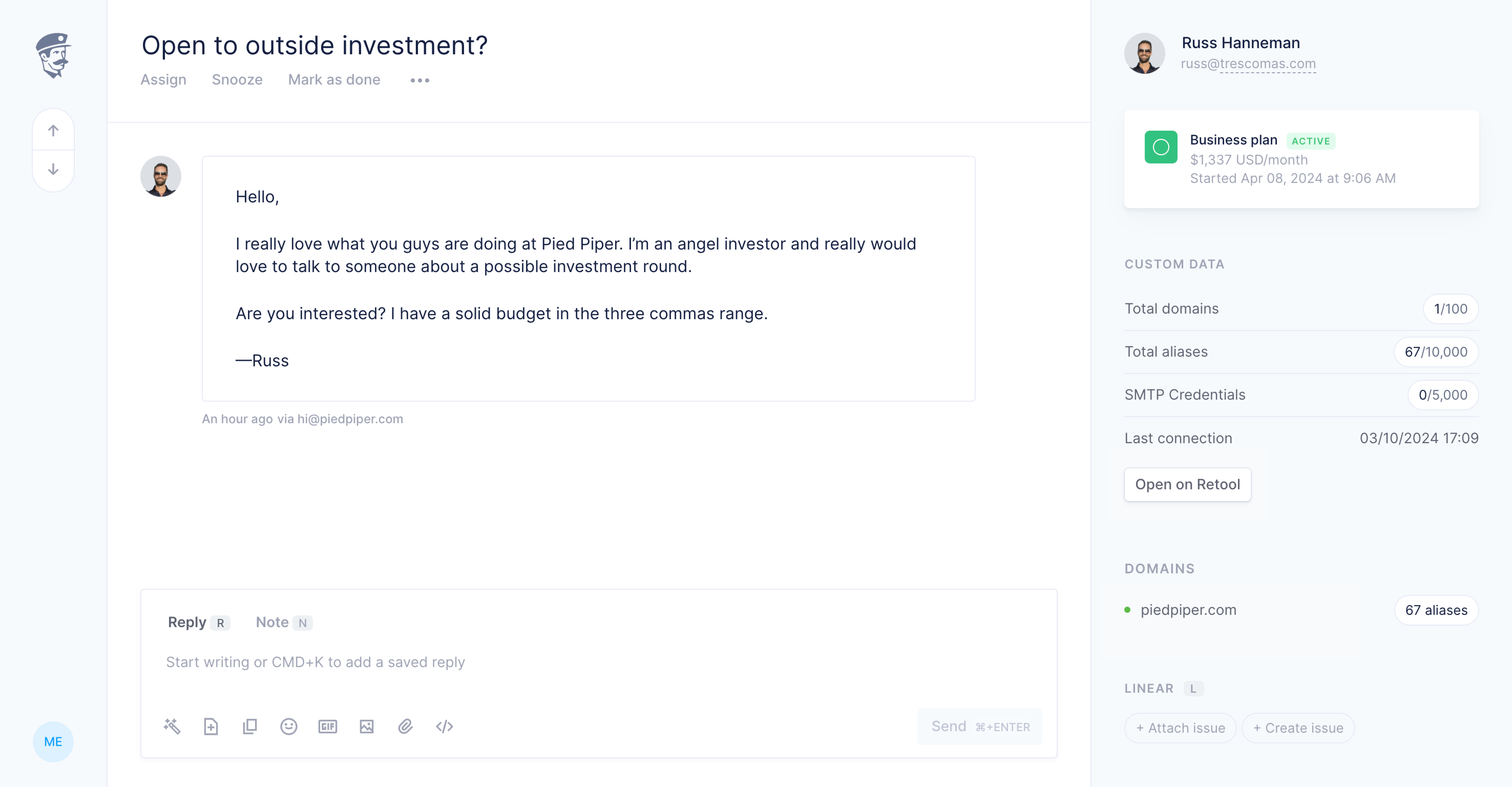
What you get
After connecting Stripe, Fernand enriches conversations with billing context.
Customer lookup: match conversations to Stripe customers automatically
Subscription visibility: see plan, status, renewal dates
Payment history: access invoices and recent transactions
AI context: replies include billing details when relevant
How it works
Fernand connects to Stripe using your API key. When a user reaches out, Fernand tries to match their email to a Stripe customer and pulls relevant data.
This data is available in the inbox and used by AI to generate more accurate replies.
Connect Stripe
You can connect Stripe in a few steps.
Go to Settings → Integrations
Select Stripe and connect to your account via OAuth
Done! Fernand will start syncing customer and subscription data automatically
How data is used
Stripe data is used to improve both visibility and AI responses.
Show subscription status directly in conversations
Reduce back-and-forth for common issues like refunds or upgrades